Now updated for Fable 5.1 and GPT Astra ⚡⚡
v3.1-BETA — Free & Source-Available
Coding à Deux
inside Godot.
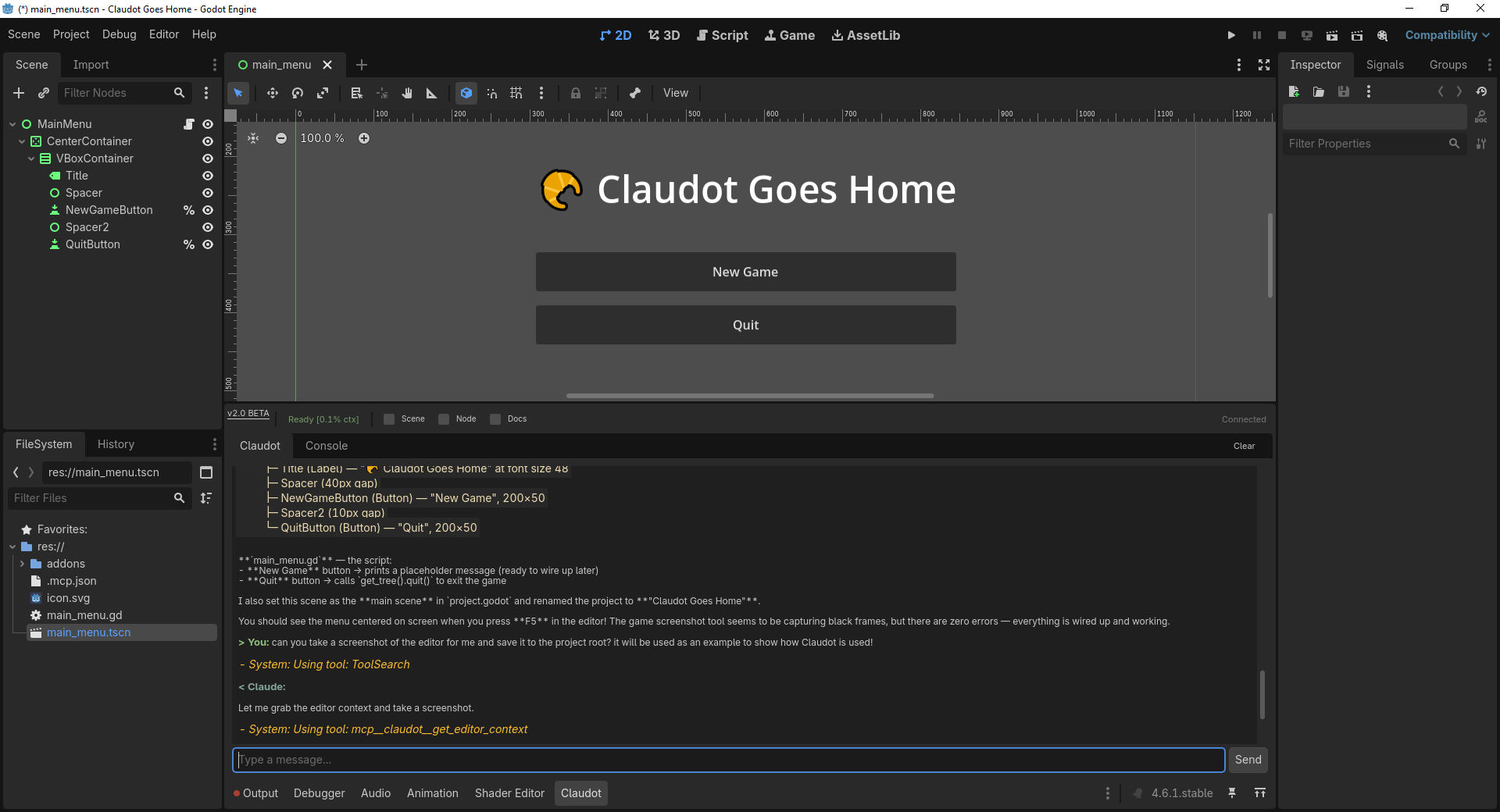
Claudot docks a Claude AI chat panel right in your editor. Ask questions, make plans, drive code — all without leaving Godot. Just like Grand-père always wanted.
Get Started in 3 Steps
1
Download
Grab the latest release from GitHub.
git clone https://github.com/Claudot-Code/claudot-pub.git2
Copy to Project
Copy the claudot folder into your project's addons directory.
your-project/
  addons/claudot/    # Plugin + bridge
3
Enable Plugin
Turn it on in Godot and start chatting.
Project > Project Settings > Plugins > Claudot > Enableyou may need to restart the editor after enabling plugin
What It Do Tho? 🤔
Built-in MCP tools. Context injection. Stay in Godot.
In-Editor Chat
- Dockable panel next to Output & Debugger tabs
- Persistent conversation history across restarts
- Slash command autocomplete (type
/) - File references with
@mentions
Scene Manipulation
- 15 MCP tools for full scene control
- Read entire scene tree, inspect any property
- Create, delete, reparent nodes
- Search project files, read GDScript source
Autonomous Testing
- Runs GUT framework tests headlessly
- Gets pass/fail results with failure details
- Write → test → iterate, without human intervention
- Claude fixes its own failing tests
Visual Debugging
- Capture screenshots of 2D, 3D, or running game
- Read
print()output and error logs - Claude sees what you see
- Debug visual issues through conversation
Interactive Workflows
- Claude asks you questions mid-task
- Radio buttons, checkboxes, yes/no prompts
- Free text input for open-ended responses
- Keeps you in control of decisions
Smart Context Injection
- Auto-attaches current scene path & selected nodes
- Injects error logs into conversation
- Auto-injects Godot API docs into Claude's context
- Toggleable per-conversation
How It's Built
Chat Mode
Godot Editor
Plugin (GDScript)
Python Bridge
Daemon (uv)
Claude Code
CLI (claude)
CLI Mode
Claude Code
CLI (claude)
MCP Server
.mcp.json
Godot Editor
Plugin (GDScript)
Two Ways to Use Claudot
Chat Mode
Type in the editor dock. Claude responds through the Python bridge. Conversation stays right in Godot — no window switching.
Editor
Bridge
Claude
CLI Mode
Run claude in your terminal. Claude discovers your scene tools via .mcp.json and controls Godot remotely.
Terminal
MCP
Godot
Just Kidding. It's free.
But if you *really* want to part with your money...
Community
$0
forever
- Free for personal and commercial projects
- Full source code access
- Modify for your own use
- Be cool. No redistribution as competing product
Pro
$0
per quadrum
- Everything in Community
- I might read emails you send me
- Access to new features
- Tool integrations
- Possible Discord channel
Studio
$9-ish?
per once
- Everything in Pro
- I will definitely read emails you send me
- Semi-Exclusive High-five Rights
- I spent too much on Puppets